# Clear Cache 🧹

### How can I clear the group cache to save space?

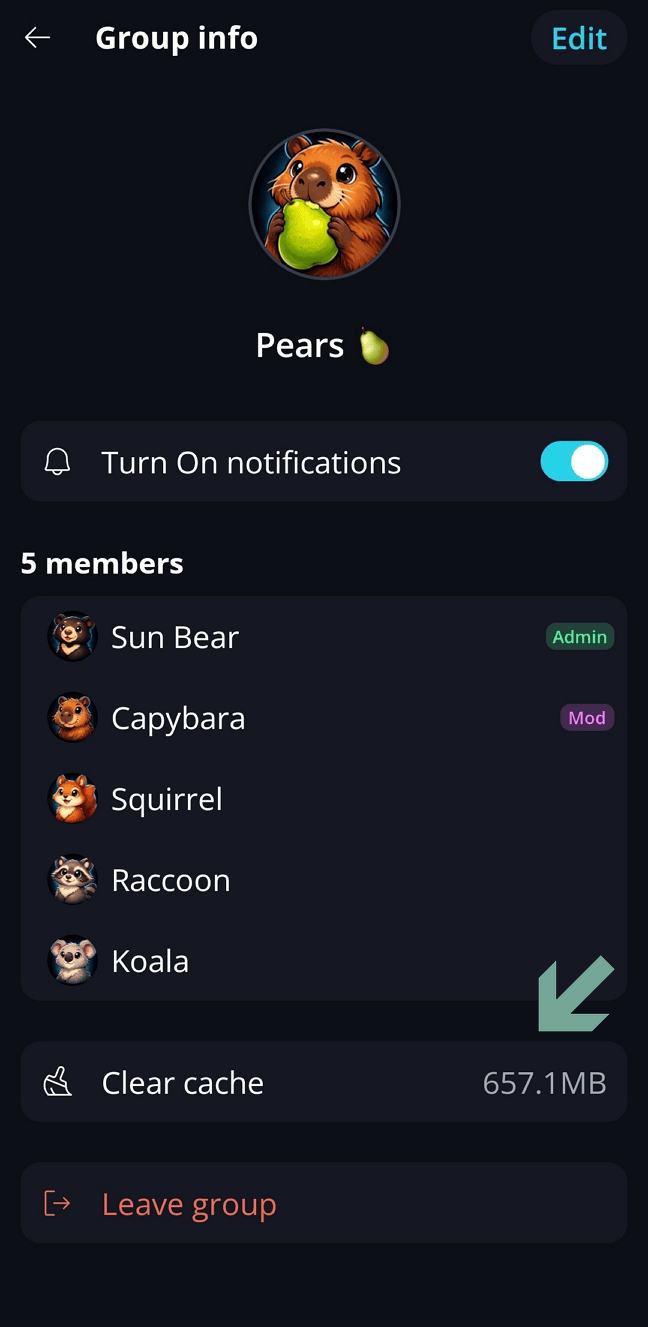
In Keet, you can view the media cache size in group settings on any device.\
To clear cached data for a specific group, open its settings and tap **‘Clear cache’** to delete shared files.\
This removes files only - all text messages will remain intact.

{% tabs %}
{% tab title="Desktop" %}
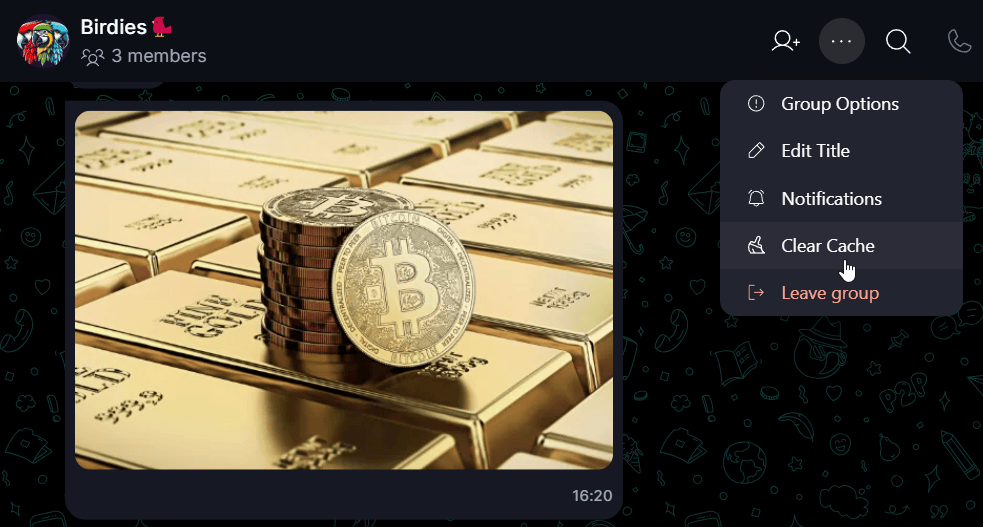
Go to the group for which you would like to clear the file cache.

Click '...' button and select '**Clear Cache**':

<figure><img src="/files/vHGumyYqqloJabVK959L" alt="" width="563"><figcaption></figcaption></figure>

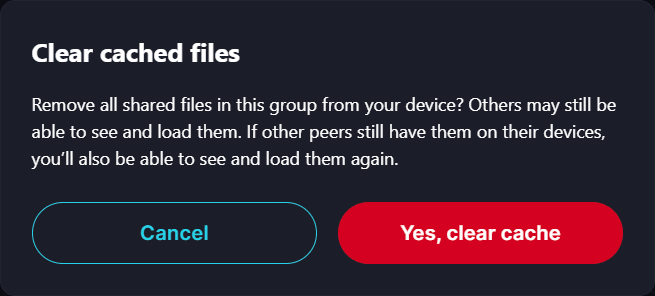
Confirm the removal when prompted.&#x20;

<figure><img src="/files/mCleK7FbmooJpDFjcZlJ" alt="" width="491"><figcaption></figcaption></figure>

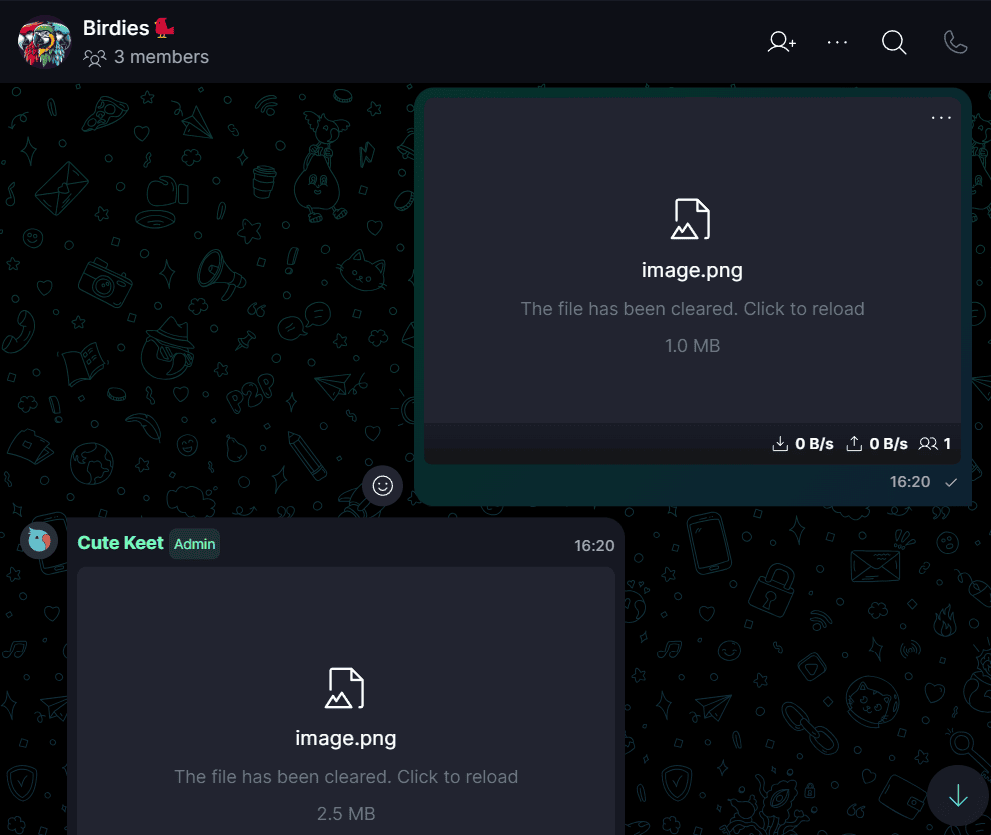
Please note: this action deletes the files **only from your current device -** they may remain on other peers’ devices.\
You can reupload the files later if other users haven’t deleted them on their end.
<figure><img src="/files/4j4FhsDyMluhrxY4DKgf" alt="" width="563"><figcaption></figcaption></figure>
{% endtab %}

{% tab title="Mobile" %}
Go to the group for which you would like to clear the file cache.

Open '**Group options'** and tap '**Clear Cache**':

<figure><img src="/files/fieibio4RbumVQ87Nj1M" alt="" width="324"><figcaption></figcaption></figure>

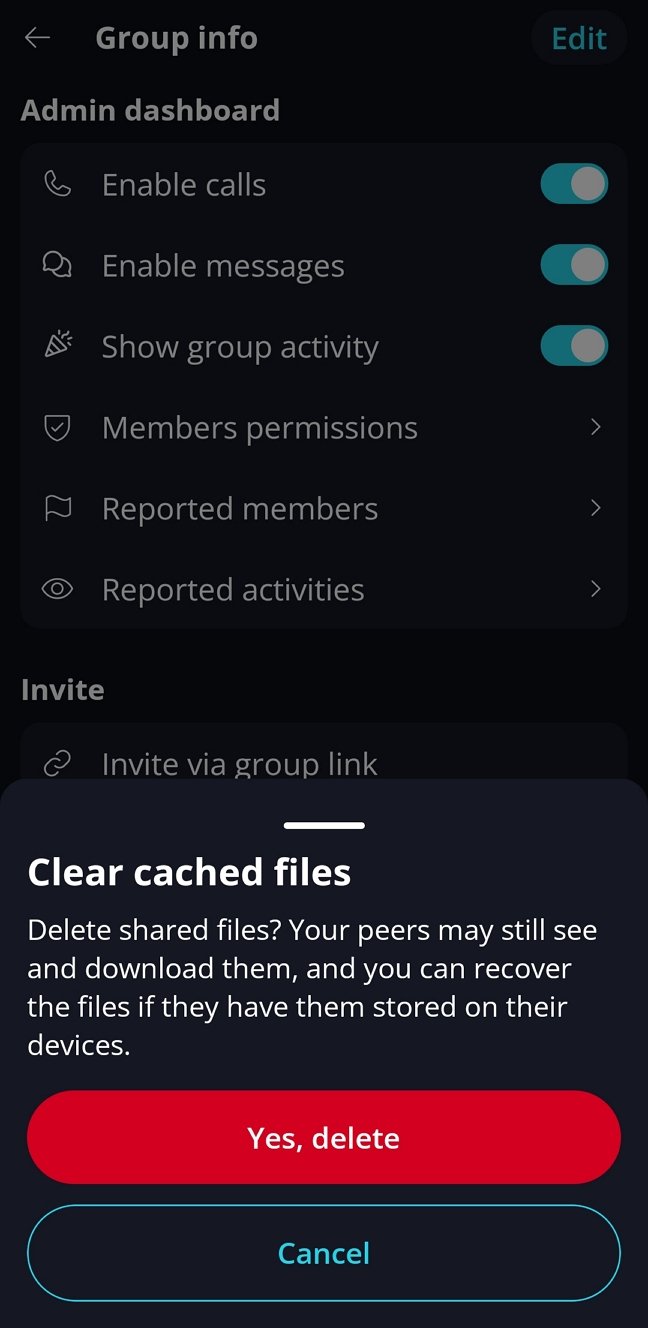
Confirm the removal when prompted.&#x20;

<figure><img src="/files/XXpPFVpY7HnGkVf0UU6V" alt="" width="324"><figcaption></figcaption></figure>

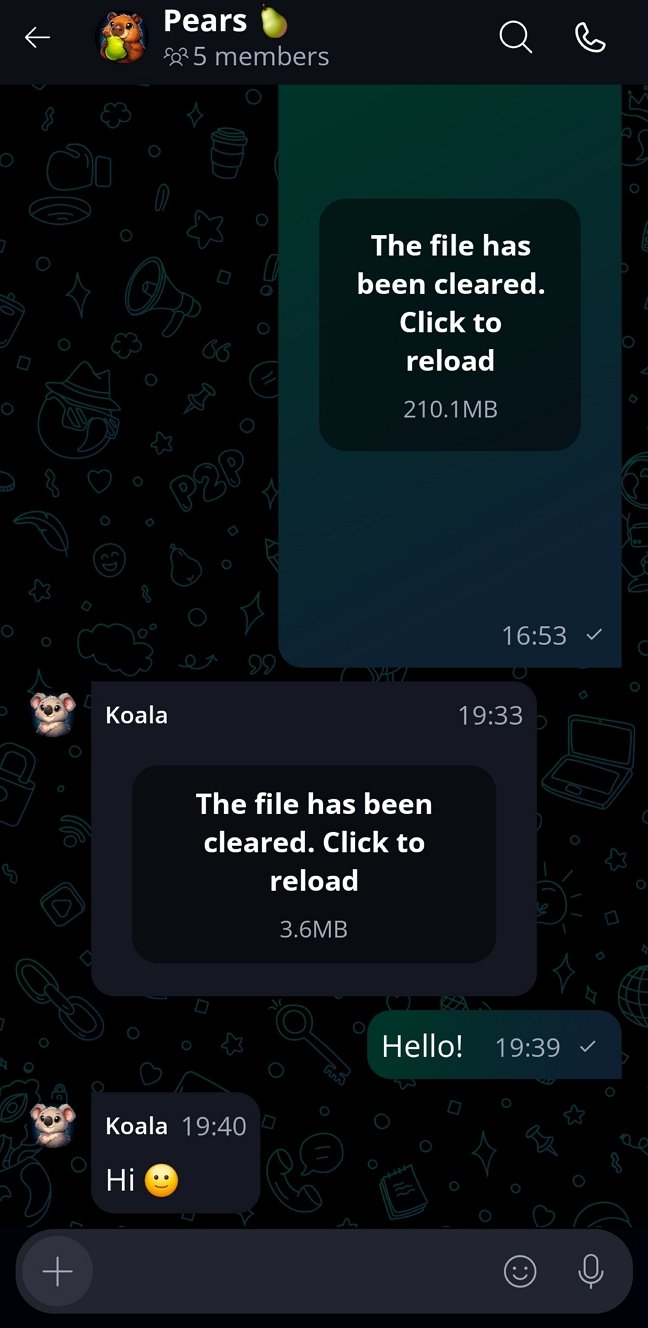
Please note: this action deletes the files **only from your current device -** they may remain on other peers’ devices.\
You can reupload the files later if other users haven’t deleted them on their end.
<figure><img src="/files/Wr2XOlwZRhdtr6OqYDGe" alt="" width="324"><figcaption></figcaption></figure>
{% endtab %}
{% endtabs %}

***


---

# Agent Instructions: Querying This Documentation

If you need additional information that is not directly available in this page, you can query the documentation dynamically by asking a question.

Perform an HTTP GET request on the current page URL with the `ask` query parameter:

```
GET https://support.keet.io/file-sharing-and-messages/clear-cache.md?ask=<question>
```

The question should be specific, self-contained, and written in natural language.
The response will contain a direct answer to the question and relevant excerpts and sources from the documentation.

Use this mechanism when the answer is not explicitly present in the current page, you need clarification or additional context, or you want to retrieve related documentation sections.